
I am talking about this:
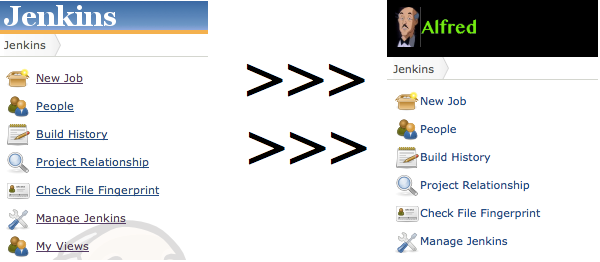
- Create a logo image of size 130×60 px
- Upload the image to web accessible location
- Copy this style sheet
- Adjust line 6 to set the header background color
- Adjust line 14 to point to your logo image
- Upload the style sheet to a web accesible location
- Enter Jenkins and install the Simple Theme Plugin.
- Go to Manage Jenkins > Configure System, look for the Theme section
- Set the URL of theme CSS to point to you style sheet
- After saving the changes you should see your new style applied
 Blog de NicoPaez